If you’ve ever dreamed of producing a professional podcast from start to finish — without switching between random apps — you’ll love this.
Adobe has built a complete podcast workflow using just its own Creative Cloud tools.
From voice recording to social promotion, here’s how to make a polished, AI-powered podcast entirely inside the Adobe ecosystem.
🪄 Step 1: Plan Your Episode with Adobe Express
Start your creative process with Adobe Express, the fastest way to organize visuals, branding, and scripts.
You can:
- Create your podcast cover artwork
- Design episode title cards
- Outline your talking points with visual story templates
Express is cloud-based, so everything you create syncs across Adobe tools — ready for your audio production stage.
💡 Tip: Use the same color palette and typography across your Express visuals and podcast thumbnails for a consistent brand identity.
🎧 Step 2: Record in Adobe Podcast
Head to podcast.adobe.com to record your voice directly in the browser.
Adobe Podcast offers:
- Mic Check for audio setup
- Live transcript editing as you record
- Automatic cloud saving
The platform captures clear, detailed audio and generates a synced transcript — your script and your edit, all in one.
🎙️ No downloads, no setup. Just plug in your mic and talk.
🧠 Step 3: Clean Up with Enhance Speech
Once you’ve recorded your raw episode, use Enhance Speech inside Adobe Podcast to instantly remove:
- Background noise
- Echo or reverb
- Volume inconsistencies
This AI-powered filter transforms even average microphone recordings into studio-grade sound.
🪄 It’s like having a professional audio engineer built right into your browser.
✂️ Step 4: Edit Efficiently with Smart Editing
Adobe Podcast’s Smart Editing feature lets you edit audio as text — no waveforms, no guesswork.
You can:
- Delete filler words (“uh,” “um”)
- Move paragraphs
- Cut mistakes directly from the transcript
Each text edit syncs perfectly with the audio timeline.
💬 It’s editing that feels natural — even for non-technical creators.
🎚️ Step 5: Mix and Polish in Adobe Audition
For creators who want finer control, export your enhanced track directly to Adobe Audition.
There, you can:
- Adjust EQ and compression
- Add background music
- Fine-tune fades and transitions
Audition is the powerhouse of Adobe’s audio ecosystem — perfect for multi-track podcast production.
🎬 Step 6: Sync with Adobe Premiere Pro for Video Podcasts
Video podcasts are booming, and Adobe Premiere Pro is your best friend for that.
You can import your polished audio, sync it with camera footage, and add:
- Subtitles
- Lower thirds
- Intro/outro animations
Everything integrates seamlessly because Premiere and Podcast share Adobe’s Creative Cloud Libraries.
🎥 This makes your podcast perfect for YouTube, TikTok, or Spotify Video.
🎨 Step 7: Design and Promote with Adobe Express
Once your episode is ready, jump back into Adobe Express to create:
- Episode quote cards
- Social clips
- Audiogram-style promotional visuals
- YouTube thumbnails
Thanks to Firefly-powered AI, you can generate on-brand graphics in minutes — matching your show’s look and feel automatically.
🌐 Step 8: Publish and Share Everywhere
Use your final assets — audio, video, and visuals — to share your podcast across all major platforms.
Adobe’s export options in Audition and Premiere make it simple to save for:
- Spotify
- Apple Podcasts
- YouTube
- Social media
Every piece of your production — from idea to promo — stays connected through Creative Cloud’s shared ecosystem.
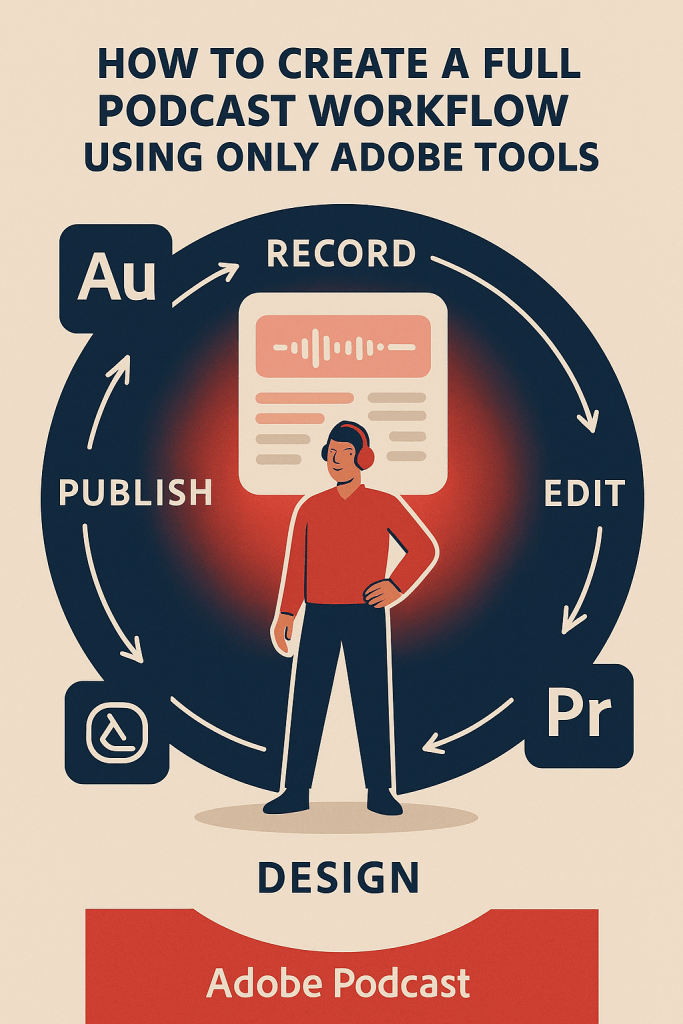
🧭 Adobe Podcast Workflow at a Glance
| Stage | Tool | Task |
|---|---|---|
| Plan | Adobe Express | Visual planning and artwork |
| Record | Adobe Podcast | AI-powered voice capture |
| Clean Up | Enhance Speech | One-click noise removal |
| Edit | Smart Editing | Text-based editing |
| Mix | Adobe Audition | Multitrack mastering |
| Sync | Premiere Pro | Video podcasting |
| Promote | Express | Social visuals and audiograms |
🏁 Final Thoughts
You don’t need a dozen apps or plugins to make a professional show anymore.
With Adobe Podcast at the center and Creative Cloud tools supporting every stage, your entire podcast workflow can live in one ecosystem — fast, consistent, and collaborative.
Whether you’re a solo creator, a production studio, or a teacher recording online lessons, Adobe’s AI tools make your workflow smoother than ever.
🎙️ Ready to simplify your podcast workflow?
Start your next project using the full Adobe suite — from recording to release — all powered by AI.
👉 Explore Adobe Podcast and Creative Cloud today
